Local repositories
Open an existing repository, initialise a new one, or clone a project from a remote URL. Recent repositories stay close at hand when you start the app.
 Gitmun
 Free open source Git client
A desktop Git client for local repositories. Keep daily Git work, history, and diffs close at hand while still using your normal Git setup.
Latest release: v0.13.0 published 16 Oct 2026
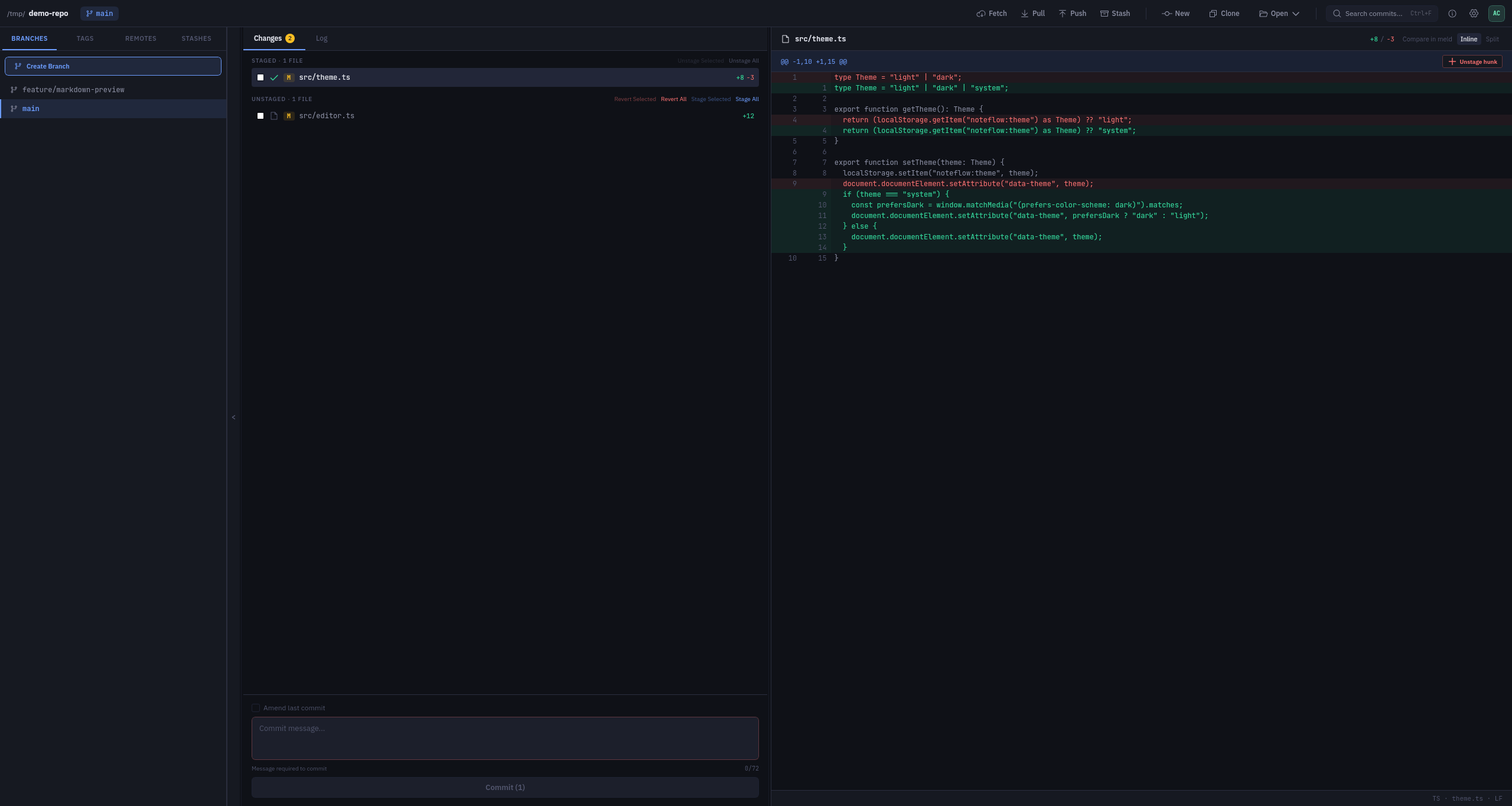
Gitmun keeps the common parts of Git close at hand. Recent releases also improve the commit graph, multi-window work, patch handling, and desktop integration.
Open an existing repository, initialise a new one, or clone a project from a remote URL. Recent repositories stay close at hand when you start the app.
Review status, stage or unstage files in bulk, commit changes, fetch, pull, push, stash, merge, rebase, cherry-pick, and revert.
Inspect branches, tags, remotes, stashes, and commit history with a scrollable commit graph, diffs, and operation output in the Result Log.
Import and export patch files, open the repository in your file manager or terminal, and keep several repository windows open at once.
Work with submodule-aware status, respect mailmap identities, and use your normal Git authentication, SSH agent, and credential helpers.
Adjust UI text size, list striping, editable theme tokens, and Git or GPG executable overrides without leaving the desktop app.
Newer capabilities ship disabled by default. Turn them on only if you want them, and keep ordinary Git workflows available either way.
Copy a working tree into another folder with files-only or complete-repository modes, including optional .git handling. Disabled by default and available from Settings or the command line launcher.
Optional commit-message drafts and structured conflict-resolution proposals through providers you configure, including OpenAI-compatible endpoints, Claude, OpenRouter, and AWS Bedrock. Disabled by default, with outbound-context previews before repository content is sent.
No hosted account requirement, no project management layer, and no replacement for the command line when you need it.